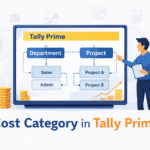
जब business बढ़ता है, तो यह जानना ज़रूरी हो जाता है कि खर्च कहाँ हो रहा है और किस काम पर हो रहा है।
TallyPrime में इसी purpose के लिए Cost Centre और Cost Categories का concept दिया गया है।
इस पोस्ट में हम detail में सीखेंगे:
- Cost Centre क्या होता है
- Cost Category क्या होती है
- Cost Centre और Ledger में अंतर
- Cost Categories की जरूरत क्यों होती है
- Practical examples
- Common mistakes
🔍 Cost Centre क्या होता है?
Cost Centre का मतलब होता है:
वह department, person, project या activity जहाँ खर्च या income को track किया जाता है।
🔹 Example:
- Sales Department
- Purchase Department
- Marketing Team
- Project A / Project B
- Employee – Rahul / Suman
👉 Cost Centre से आप यह देख सकते हैं कि किस department या project पर कितना खर्च हुआ।
❓ Cost Centre क्यों ज़रूरी होता है?
Cost Centre use करने से:
- Department-wise expense पता चलता है
- Project-wise profit / loss निकाला जा सकता है
- Salary और overheads का analysis आसान होता है
- Management decision बेहतर बनते हैं
👉 Ledger सिर्फ total expense दिखाता है, लेकिन Cost Centre detail analysis देता है।
🔍 Cost Category क्या होती है?
Cost Category का मतलब होता है:
Cost Centres को अलग-अलग groups में divide करना।
🔹 Simple भाषा में:
Cost Category = Cost Centres का group
🔹 Example:
मान लीजिए आपकी company में 2 तरह के खर्च track करने हैं:
1️⃣ Department-wise Cost
2️⃣ Employee-wise Cost
तो आप बना सकते हैं:
- Cost Category 1: Department
- Cost Category 2: Employee
🔗 Cost Centre और Cost Category का Relation
| Cost Category | Cost Centres |
|---|---|
| Department | Sales, Purchase, Accounts |
| Employee | Rahul, Neha, Amit |
| Project | Project A, Project B |
👉 एक company में multiple cost categories हो सकती हैं।
⚙ Cost Centre और Ledger में अंतर
| Ledger | Cost Centre |
|---|---|
| Expense / Income record करता है | Expense को analyse करता है |
| Mandatory होता है | Optional होता है |
| Accounting basis | Management analysis basis |
🧮 Practical Example (Easy समझिए)
🔹 Example:
- Office Expense: ₹30,000
Cost Centre allocation:
- Sales Dept → ₹18,000
- Accounts Dept → ₹12,000
👉 Ledger में:
- Office Expense = ₹30,000
👉 Cost Centre report में:
- Sales Dept = ₹18,000
- Accounts Dept = ₹12,000
⚙ Cost Category कब use करनी चाहिए?
Cost Category का use तब करें जब:
- एक ही expense को multiple angles से analyse करना हो
- Department + Employee दोनों track करने हों
- Project-based accounting करनी हो
👉 Beginners के लिए पहले सिर्फ Cost Centre ही काफी होता है।
⚠ Cost Centres बनाते समय ध्यान रखने वाली बातें
- Unnecessary cost centres न बनाएं
- Clear naming रखें
- Ledger में cost centre allocation enable करें
- Real business structure follow करें
❌ Common Mistakes (बहुत लोग करते हैं)
- Cost Centre और Ledger को confuse करना
- बहुत ज़्यादा Cost Categories बना लेना
- Cost allocation skip कर देना
- Reports check न करना
इनसे:
❌ Confusion
❌ गलत analysis
📊 Cost Centre Reports कहाँ देखें?
- Gateway of Tally → Display → Statements → Cost Centres
- Cost Centre Summary
- Category-wise Reports
- Ledger + Cost Centre Reports
🎯 यह Topic किसके लिए ज़रूरी है?
- Business Owners
- Accountants
- Managers
- Project-based Companies
- TallyPrime Learners
📥 Download – Cost Centre Practice PDF (English)
👉 Download Cost Centre Practice PDF
📘 इस PDF में क्या-क्या है?
यह PDF खास तौर पर TallyPrime beginners और accounting students के लिए बनाई गई है।
✔ Contents:
Cost Centre enable करने की checklist
Cost Categories practice, जैसे:
Department
Employee
Cost Centres examples, जैसे:
Sales, Accounts, Marketing
Rahul, Neha, Amit
Expense allocation practice, जैसे:
Office Expense → Sales & Accounts
Salary Expense → Employee-wise
Marketing Expense → Department-wise
👉 इससे learners को real-life cost analysis समझ में आता है।
Cost Centre और Cost Categories TallyPrime में expense और income analysis का सबसे powerful tool हैं।
अगर आप इन्हें सही तरीके से use करते हैं, तो business control और planning दोनों आसान हो जाती हैं।