GST Return Filing हर registered business के लिए mandatory है। अगर आप TallyPrime इस्तेमाल करते हैं, तो आप GSTR-1 और GSTR-3B बहुत आसानी से बना सकते हैं।
इस पोस्ट में हम step-by-step सीखेंगे:
👉 GSTR-1 क्या है
👉 GSTR-3B क्या है
👉 TallyPrime में GST setup
👉 GSTR-1 & GSTR-3B generate करना
👉 Common mistakes & solutions
GSTR-1 क्या होता है?
GSTR-1 एक sales return है, जिसमें taxpayer अपनी outward supplies (Sales) की details सरकार को देता है।
GSTR-1 में क्या-क्या शामिल होता है?
- B2B Sales
- B2C Sales
- Credit / Debit Notes
- Export Sales (अगर हों)
📅 Filing Frequency
- Monthly: Turnover > ₹5 Cr
- Quarterly (QRMP): Turnover ≤ ₹5 Cr
GSTR-3B क्या होता है?
GSTR-3B एक summary return है, जिसमें:
show किया जाता है।
📅 Filing Frequency
- Monthly (सभी taxpayers के लिए)
TallyPrime में GST Enable कैसे करें?
Step-by-Step:
- Gateway of Tally → F11 (Features)
- Statutory & Taxation → Enable GST = Yes
- GST Registration Type चुनें
- GSTIN, State, Applicable Date डालें
- Save करें
✔️ अब आपका Tally GST Ready है
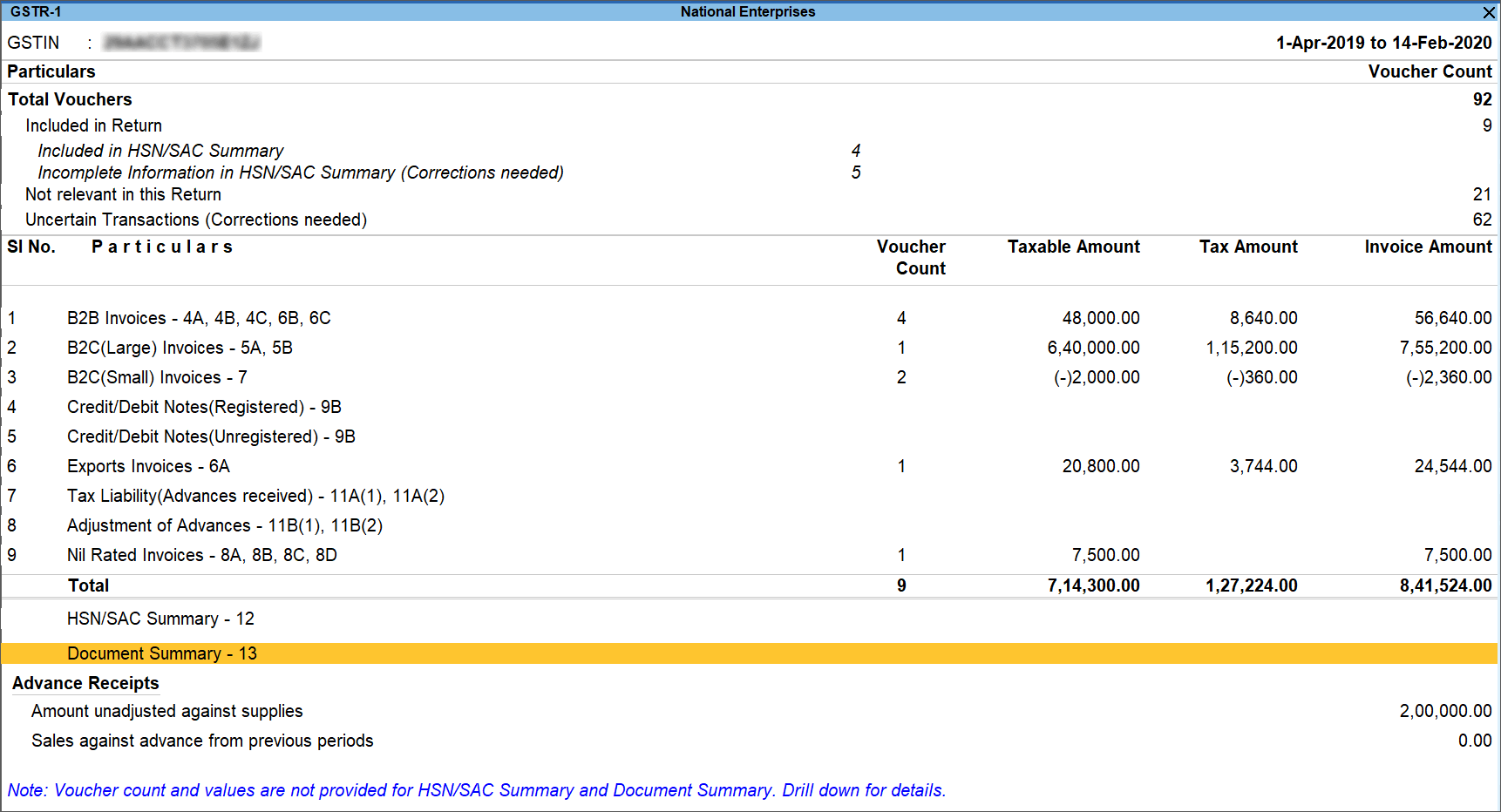
GSTR-1 TallyPrime में कैसे देखें?
Steps:
- Gateway of Tally → Display More Reports
- GST Reports → Returns → GSTR-1
- Period (Month / Quarter) select करें
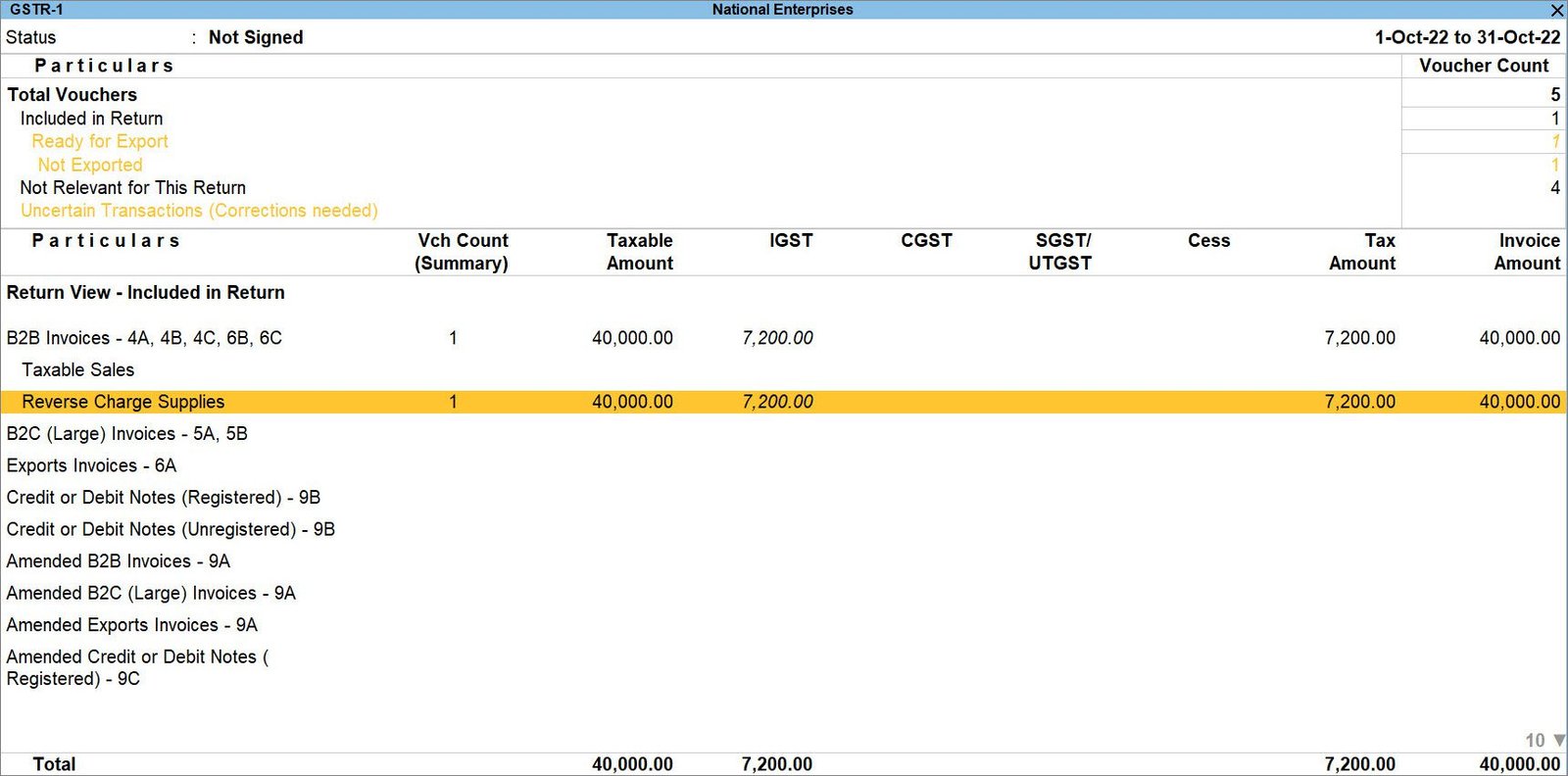

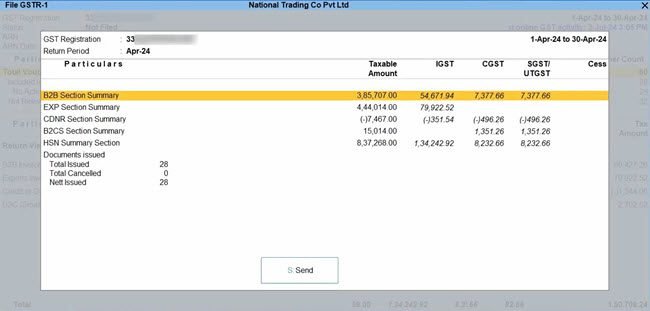
GSTR-1 Report में Sections:
- B2B Invoices
- B2C (Large / Small)
- Nil Rated / Exempt
- Credit / Debit Notes
👉 Drill-down करके Invoice level details भी देख सकते हैं
GSTR-1 JSON File कैसे Export करें?
- GSTR-1 screen पर जाएं
- Alt + E (Export)
- Export Format = JSON
- Location select करें
- File export करें
📌 इस JSON file को GST Portal पर upload किया जाता है
GSTR-3B TallyPrime में कैसे देखें?
Steps:
- Gateway of Tally → Display More Reports
- GST Reports → Returns → GSTR-3B
- Period select करें
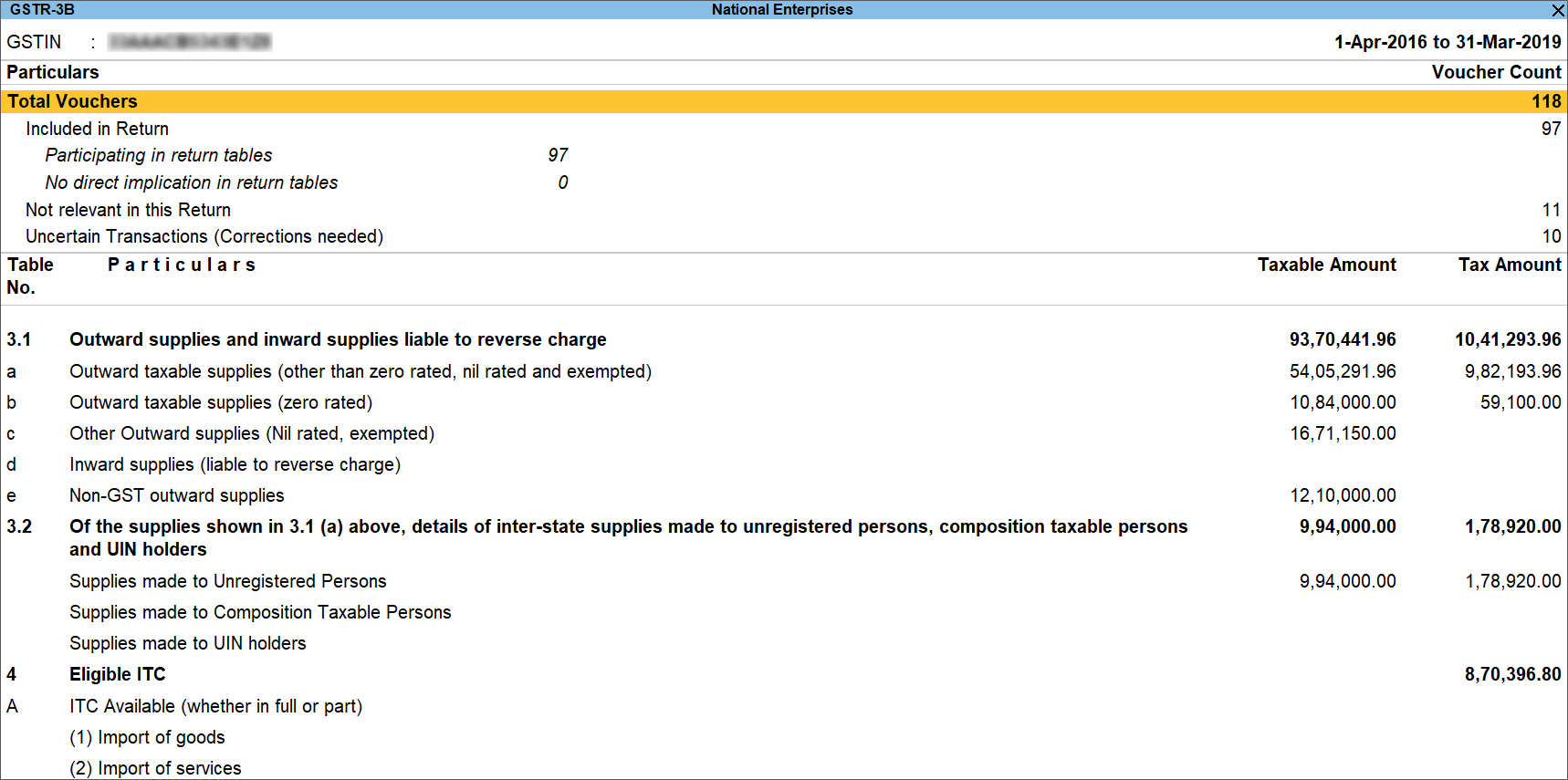
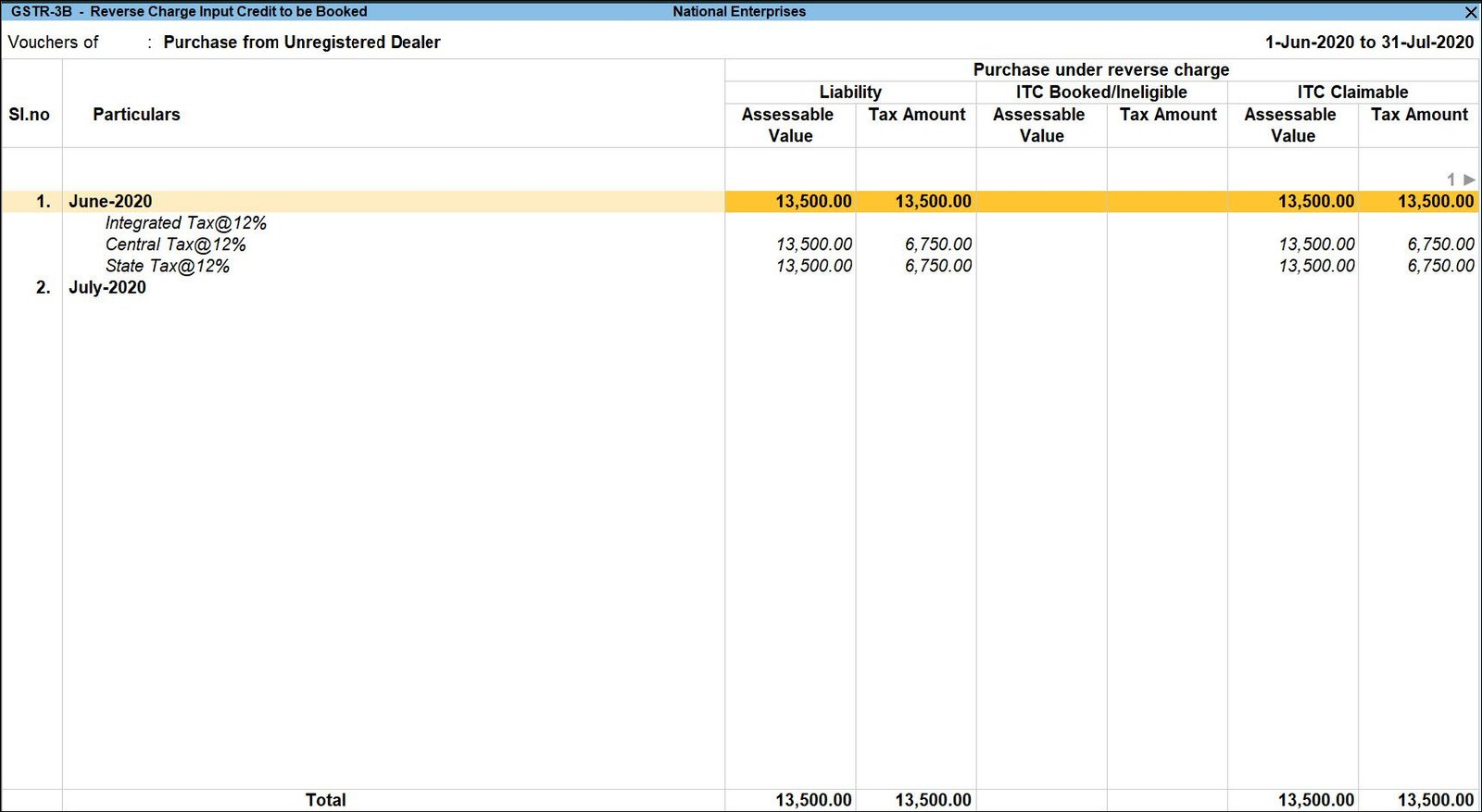
GSTR-3B में क्या दिखता है?
- Taxable Value
- Output CGST / SGST / IGST
- Eligible ITC
- Net GST Payable
GSTR-3B में Common Mistakes
❌ गलत GST Rate
❌ Purchase entry without GST
❌ ITC mismatch
❌ Sales invoice date गलत
Solution:
✔️ Ledger GST configuration check करें
✔️ Voucher alteration करके correction करें
✔️ Recompute GST Summary करें
GSTR-1 और GSTR-3B में Difference
| GSTR-1 | GSTR-3B |
|---|---|
| Sales Detail Return | Summary Return |
| Invoice-wise data | Consolidated data |
| Customer GSTIN required | GSTIN wise summary |
| Monthly / Quarterly | Monthly |
Beginners के लिए Important Tips
✅ हमेशा voucher GST enabled रखें
✅ Month close करने से पहले GST reports check करें
✅ Data backup जरूर रखें
✅ Filing से पहले Preview JSON देखें
FAQ – अक्सर पूछे जाने वाले सवाल
Q1. क्या Tally से direct GST file कर सकते हैं?
👉 नहीं, Tally से JSON generate होता है, filing GST Portal पर होती है।
Q2. GSTR-1 और GSTR-3B दोनों जरूरी हैं?
👉 हाँ, दोनों mandatory returns हैं।
Q3. GST mistake हो जाए तो क्या करें?
👉 Voucher alter करें और return regenerate करें।
अगर आप TallyPrime में सही तरीके से entries करते हैं, तो GSTR-1 और GSTR-3B बनाना बहुत आसान हो जाता है।
यह guide students, accountants और business owners सभी के लिए helpful है।